Showing posts with label organization. Show all posts

Sunday, March 10, 2019

Working Supermom Secret... My Nightly Cleaning Routine

My house isn't always spotless, in reality whose is? However I do my best to keep it clean and tidy and I've found my new nightly routine is helping wonders. 

After my daughter is off in bed (8:30 PM) I begin my "Power Hour" rather than hitting the couch. This also helps me get in my steps each day, because working a desk job, doing college work and blogging, I spend a lot of time sitting on my butt.

With my routine I have found that I clean minimally on the weekends which means more time to enjoy my family. I only do what I can get done in 1 hour, and now that I've been doing this consistently it barely takes me 30 minutes to complete it all. 

M/W/F - 1st floor
T/R - 2nd floor
F - Basement
Every night - Dishes & vacuum hard floors.

My first floor consists of 5 rooms:

  1. Kitchen
  2. Living room
  3. Dining room
  4. Bonus room (and hallway)
  5. Half bathroom
My second floor has 7 rooms
  1. Master Bedroom
  2. Master Bathroom/Closet
  3. Adam's Office
  4. Gwen's Playroom
  5. Gwen's Bedroom
  6. Gwen's Bathroom
  7. Laundry room/closet
My basement has 5 rooms
  1. Living room
  2. My craft room/office
  3. Bathroom
  4. Bulk Storage
  5. Holiday Storage
M/W/F Plan - #1, 2 & 14 are done every night
  1. Load the dishwasher (should have been unloaded in your Morning Routine)
  2. Wash by hand anything that doesn't fit in the dishwasher and set aside to dry while you finish the rest of your routine
  3. Wipe down the stove, including the bottom of the inside if you baked anything tonight
  4. Wipe down all counters
  5. Wipe down the outside of the refrigerator and dishwasher
  6. Do a quick scan of the cabinets and wipe down any visible mess
  7. Go through the living room and pick up any dishes/clothes/things that don't belong
  8. If it goes upstairs drop it in the transportation basket on your stairs (if you don't have one you need one, check out my post on it here)
  9. Clean off & wipe down the dining room table putting everything back where it goes (this is quick for me because we don't eat in our dining room)
  10. Bonus room is just yard sale storage right now so I just ignore it
  11. Check the half bath for any needs (i.e. toilet paper) and do a quick wipe down of the toilet, sink and mirror. 
  12. Off to grab my Ryobi cordless vacuum, this thing is amazing and so much better than a Dyson or Shark (in my opinion) because we have all Ryobi cordless tools so there is always a battery fully charged waiting for me (we have 8 total batteries)
  13. Also grab the small spray bottle of rubbing alcohol and a microfiber cloth... you'll see why in a minute
  14. Vacuum the entire downstairs which is all hardwood floors. 
  15. I'll usually do a quick sweep of the couch as well for any crumbs
  16. Use the rubbing alcohol and microfiber cloth to clean any spots on the couch, just spray it on and scrub softly with the cloth and your couch is like new (test in a small inconspicuous spot before doing in an obvious location to ensure you have true microfiber)
  17. Using my wonderful O-Cedar Spin Mop I add super hot water and just a small cap full of Spic & Span and quickly mop my entire first floor. With the spin mop the mop becomes just barely damp so I don't have to worry about it ruining my hardwood floors. 
T/R Plan - this routine is done half while my daughter takes a bath and half after she's in bed, and during my Morning Routine I start laundry on a delay so it's ready to go in the dryer as soon as I get home from work so that it's ready to put away during my Power Hour.
  1. Quickly go around picking everything up off the floors that would be in the way of vacuuming, since I do this regularly there is very little to pick up. 
  2. Vacuum the entire upstairs (which is all carpet)
  3. Gwen is responsible for keeping her room & playroom clean but I still do a quick walk thru just to ensure that things are picked up and nothing is in there that she forgot about. After she is in bed I will continue on with step 4.
  4. Wipe down her tub, counters and toilet
  5. Use my Ryobi cordless vacuum on her floors (it's so quiet it can't be heard in her bedroom)
  6. In the master bathroom wipe down the tub, counters and toilet. I clean the inside of the shower every other time I shower with a handled scrub sponge filled with half vinegar and half blue dawn, keeps the soap scum at bay.
  7. Vacuum the master bath floors. 
  8. Quick pick-up in the master closet and put away any of my make-up or other items I've left out on my make-up table
  9. Put away any laundry that needs put away
F Plan
  1. Clean the living room, gathering dishes, folding blankets, fluffing pillows. 
  2. Check the mini-fridge to see what needs restocked or what has gone bad
  3. Check the snack drawer for what needs restocked
  4. Clean off my desk including scanning in all papers that need processed from the week
  5. Vacuum the living room & craft room floors
  6. Wipe down the bathroom sink & toilet
  7. Vacuum bathroom floors
  8. The shower only gets cleaned once a month, no one uses it, but cleaning it keeps the spiders out
  9. Vacuum the storage room
  10. Take inventory of what needs to be purchased on my next shopping trip
  11. Put back anything that wasn't properly put away throughout the week
  12. Vacuum the holiday storage room
  13. Some weeks I'll also prep for the next holiday decor change out by pulling out the proper totes and setting them aside. 
I hope this helps you get a quick simple nightly routine down to help keep your house as clean as can be. 

What is your favorite cleaning tip that has ever been shared with you or that you figured out on your own? 

Just remember, with planning and organization, you CAN do it all.

Sunday, March 3, 2019

Working Supermom Secret... My Morning Routine

If you're anything like I was, mornings feel insane, no matter how much I planned or how early I tried to get up, I felt like I never had enough time in the mornings, or at least I didn't until I put together a solid morning routine. 

Hopefully seeing mine will help you to plan your morning and make your day a productive one.

Alarm goes off at 5:15 AM
  1. Review my to-do list - before even getting out of bed, I review my to-do list for the day, Google Keep for the win, just to get in the mindset of productivity. After that I feel as though I have a good handle on what the day ahead holds.
  2. Make the bed - I get out of bed and make it, including all my pretty pillows. My room just feel so clean having the bed made. 
  3. Get dressed - clothes are always picked out for the week on Sunday's so it's quick. No matter how productive you think you can be in your PJ's, I can guarantee you're more productive in clothes. Even if it's yoga pants and a t-shirt, changing clothes will get your blood flowing and wake you up. If you don't wear outside shoes in your house, get yourself a pair of inside only sneakers, feeling like you're going somewhere will keep you going. 
  4. Aesthetics - If you like to do your make-up and hair, go for it, personally I don't wear make-up except a little mascara (blonde lashes get me) and my hair is perpetually in a messy bun. 
  5. Start laundry (on a delay) - I delay it for 7 hours, because then it finishes up about 20 minutes before I get home from work. Then, I will switch as soon as I get home and put away before bed. (We'll go over that more in my night time cleaning routine) 
  6. Wake up the tiny human - if she's not already up and then she's off to get ready on her own. Her clothes are also set out for the week on Sunday's and she has her checklist of morning tasks to complete. 
  7. Drink some water - I will grab my water bottle from the refrigerator and drink about half of it, I prefer very cold water and these bottles keep things VERY cold. I've had ice still solid after 2 days. And for only $9.99 they're a steal.
  8. Make her lunch - she takes a hot lunch nearly every day, if I'm sending a cold one I will make it the night before and store it in her lunch box in the refrigerator, but that is rare. For hot lunches I love these insulated bowls because they keep things hot and are comfortable to eat out of and are leak proof. Her favorite lunchbox was a Target find, it's an Outerspace insulated one. One of our favorite things about the Cheeky® Kids brand is that for every Cheeky® Kids item you buy, a child in need will get a meal right here in the U.S. with No Kid Hungry. 
  9. Make breakfast - I prefer she eat a hot breakfast and have many things prepped, but some days she wants mac-n-cheese or spaghetti and if that's what I'm making for her lunch I'm fine with that, because really, how is mac-n-cheese any less healthy than pancakes covered in syrup? 
  10. Empty the dishwasher
  11. Practice this weeks spelling words - while I'm emptying the dishwasher we'll practice the spelling words on her list this week, I keep them on the white board on our command station and pull them down while we're practicing
  12. Reload any breakfast dishes - as soon as it's emptied I'll add any breakfast dishes, or lunch making dishes, or midnight snack dishes that are in the sink
  13. Double check backpacks - I pre-pack all backpacks the night before but I will go thru both again just to double check. In her backpack I look to make sure her homework is done, all papers are signed and her lunchbox is in it. I'll also look thru mine quickly to ensure my laptop, work phone and any other items I need are in it.
  14. Hugs & Kisses - Always hug & kiss your family good-bye every morning, no matter what, even if they're sleeping give them a little kiss, be a minute late if it means still getting those hugs & kisses, but with a good morning routine you'll be 20 minutes early with zero stress
And I'm off to work by 6:25 AM. 


Now, surprisingly, even if it's a weekend my morning routine varies very little. 

On the weekends:
  1. Dressed to the shoes - most weekends it's just blue jeans & a t-shirt
  2. Aesthetics - for me it's no different than a weekday, a little mascara and a messy bun and I'm off
  3. Laundry - this time no delay
  4. Breakfast - I make a hot breakfast every Saturday, and make double the amount of pancakes, waffles or french toast to freeze, if there's still a lot left over from the previous weekend I'll make eggs & toast or cinnamon rolls instead
  5. Dishwasher emptied & refilled
  6. Send a message - send a message to someone you haven't talked to in awhile. Just a quick "Hey! Was thinking about you and hoping all is well." It will mean a lot to the person and takes less than 30 seconds of your time. 
Then I begin my Google Keep to-do list for the weekend. If you don't use Google Keep you're missing out. Check out my post all about this "secret" weapon offered by Google.

What does your morning look like? Is there some part of it that stresses you out? Anything you could pre-plan? 

Just remember, with planning and organization, you CAN do it all.

Sunday, February 24, 2019

Working Supermom Secret ... Stair Basket

If you have a two story home,  you know how often things find their way from the 2nd floor to the 1st and no one wants to make a hundred trips up and down the stairs, and it cab become a hazard just leaving it on the stairs and hoping someone will take it up when they're headed that way. 

I got this cute basket from Target and keep it on the stairs to keep everything corralled and to make it easier to carry it all up when I go up, because let's face it, who else is going to carry it up since it's all invisible. It's 8"x10" so it doesn't hold a lot, but it's perfect for the socks, Lego's, hair brushes, hair ties, etc. that make their wait to the living room. 


Amazon does have some great options as well, but they were a little pricier than I wanted to pay, and a little bigger than I wanted for the stairs. This basket is specifically made for stair storage and was the cheapest I found. With the below one, I was also concerned with how much more would I allow to pile up before taking it up, because even I have my lazy moments. 


If you have a two story home, what is your normal handling of things that need to go up? Do you run things up every time you find them? Stack on the stairs without a bin? Some other method? Share in the comments below, I'd love to hear your ideas. 

Just remember, with planning and organization, you CAN do it all.


Thursday, January 3, 2019

Google Keep - Google's Best Kept "Non-Secret" Secret Weapon

I love checklists, but I hate paper checklists because I like to reorder things and add sub-items and just have more control than paper gives me. Recently while watching a YouTube tutorial for something completely unrelated, the YouTuber mentioned Google Keep. I hadn't heard of it so I Googled it (Google really is taking over the world). Google Keep is so much more than just a place to house your checklists, but it is a great place for them. 

I have my grocery list in Google Keep and I can share it with my husband so he can add items, see what is on there, check things off if he's shopping without me, etc. It's AMAZING! I also have a list of my daughters favorite items for her school lunches, because as you know I make her lunch every day and try to give her variety. There are some other check lists too, like Resolutions/Goals, a long term project list, a list of all the switches that still need changed to smart switches. 

It also has reminders in it that sync with your Google Calendar which is huge with how much I use my Google Calendars. *If you missed that post check it out here: My 12 Google Calendars* With Reminders, you can geotag them which is amazing. Put the address of a place you need to stop (i.e. picking up dry cleaning or a prescription) and if you're within half a mile of that location, the reminder will pop-up to complete the task. 


You can access Google Keep from your phone or your computer or any smart device. I only just learned about Google Keep three months ago, so I'm still learning about all the fun features available, but check it out, it will change your life. 


Just remember, with planning and organization, you CAN do it all.

Wednesday, January 2, 2019

School Money Stickers (Free Printable)

If you're anything like me, you feel like you're sending money to school 3x a week and can't always remember to put all the information needed on the envelope with it. Usually the school will still take it, I mean who wouldn't accept money, but then they send the reminders home of "please include the following information when sending money". So what I did was create this cute little infographic that I printed out on sticker paper and attached to the front of a few envelopes to keep on hand.

Of course I can't create something without sharing it with you guys.


Click here for a pdf file with 4 graphics per sheet. You can print them on sticker paper, or just on regular paper and then tape them to the envelopes.

Just remember, with planning and organization, you CAN do it all.

Tuesday, January 1, 2019

Completely Using Google Contacts

I feel like I'm giving away one of my biggest organizing/networking secrets, but it's so exciting I have to share. 

Google Contacts is an amazing feature that is so often underutilized by Google users. You can store more than just the basic name and phone number which helps not only with keeping the information at your fingertips, but making your brain more efficient since you don't have to remember certain things when shopping for gifts or planning for topics in networking meetings. 


I have created a fake contact to the left, but the information looks very similar to what I have for every contact in my phone. 


  1. Always include a picture, this helps you to put the name with the face, especially if a majority of your contact is over the phone/email you want to be able to easily recognize the person when you see them in person. Also, make sure it's just a picture of them, having other people in the picture can be confusing. 
  2. Include their company and job title. If you know their middle name, include that too. 
  3. Always label the phone numbers properly so you don't mistakenly call their personal number when you were trying to reach their office. 
  4. Make sure if you list an address, which is a great idea especially when it comes time to send Christmas cards, you have the full address including zip code. 
  5. There is also a section to list relatives. There are 2 ways you can do this, you can link people in they're both in your phone, for example, my married neighbors are both in my phone under separate contacts, but are linked through the relatives option. If you don't have the information you can just list their names and relationship in the phone. I also add birth dates next to the names if I find them out in passing conversation. Even if you just have the month/year that's helpful to use as a conversation starter, or just the age and approximate year to help with relating topics to them. 
  6. Always include any dates you have, birthday, anniversary, work anniversary, etc. Anything that is special to them. 
  7. Finally, the most important section in my opinion, is the notes section, here I make notes about things the person likes, doesn't like, favorites, etc. If it's a close friend I'll do the same for their children in the notes section (clothing sizes, current likes, etc.). In the example above, John is  a Ford fan, but hates Dodge, loves Star Trek and the Raiders and his favorite food is candied bacon. Anytime I have a conversation with someone and likes/dislikes or hobbies come up I try to make a mental note to add it to their contact note in google so I have it for later reference and don't have to try to remember it. 
One great thing with the dates section is those will automatically transfer over to your Contacts Calendar that was discussed in my post on My 12 Google Calendars

Just remember, with planning and organization, you CAN do it all.

Sunday, December 30, 2018

My 12 Google Calendars

I'm a digital girl, all the way. We have been a paper-free house for nearly 3 years, no binders, no planners, no notebooks, etc. Today, let's talk calendars and planning. We'll touch on meal planning and such but I'll get more in depth in a couple weeks. 

Google Calendars are AMAZING! I have 12 of them. I know that sounds like a lot, and like it's hard to manage, but in reality it couldn't be easier. All 12 calendars are shared with my husband (including my personal one) with Edit access so we easily know what is going on with each other when trying to plan things.  In order, they are:

  1. Heidi Pope - my personal calendar for my appointments (doctor, hair, paydays, time off etc.)
  2. Activities - this is for anything and everything I have found within a decent driving distance (usually 30 miles) that sounds remotely interesting. This calendar is shared with about 2 dozen people (read only) in my area to share ideas about what is going on.
  3. Adam Pope - a calendar for my husbands appointments, work time off & paydays, this is actually his google calendar, but shared with me with edit permissions so I can add/edit things on his calendar as well as see what he has going on. 
  4. Budget - every bill we have due is on the calendar, this allows for a quick glance on when things need paid (even if it's on auto-pay) 
  5. Contacts - this auto-fills from my Google Contacts which I use for all the information about my friends/family to keep me on top of things. I'll share more about what all goes into my Google Contacts in a later post. 
  6. xxx Elementary - this calendar is for everything related to my daughters school. Days off, half days, PTO meetings, fundraiser information, special days (hat day, sports day, etc.) etc. I keep this separate from her calendar because I share this one with a number of other parents in my daughters class/school. 
  7.  Gwen - this is my daughters calendar for her appointments and after school activities.
  8. Heidi School - I'm still a full time college student so I use this calendar to track projects due, mid-terms, finals, start/end of semester, submission dates for reimbursement from work, etc. 
  9. Holidays - ALL holidays, both major and fun holidays (i.e. Dr Seuss' birthday, National Watermelon Day, etc.)
  10. Household - filter changes, loofa changes, regular home maintenance, etc.
  11. Meal Planning - Here I keep our meal plan, the calendar event not only includes the name but the recipe as well. Each month I'll look at the previous and drag and drop the event if I want to reuse it, or I will create a new one for new recipes.
  12. Reminders - this is for reminders that are created through Google Keep (a lifeline for me)
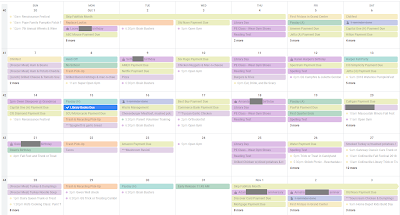
Having all the calendars open at the same time can be a lot to look at, but the great thing is you can turn them on and off for viewing. I usually keep meal planning, household, budget, and activities turned "off" for viewing because the reminders/notifications will still pop up, but I don't have to see them when I open my calendar unless I want to. This is my calendar with all 12 turned on:


With only the "major" calendars on (those needed for new appointment decision making), it is much cleaner and less overwhelming.


One of the best parts of this, aside from it being super organized and easy to see just what you need, is that you always have it on you. Whether your phone, tablet, computer, or any other device you can access your calendar to look and update immediately. 

Some tips:
  • When making an appointment (like a follow-up with the doctor) put it on the calendar immediately, don't even take a reminder card from them, just put it on the calendar so you can't forget to put it on there later and you're saving paper (double win). 
  • While 12 calendars work for me, you may need more, or less, use what works for you. 
  • If you have multiple children, you'll want a calendar for each of them, as well as a calendar per school if you have kids at different schools. 
  • If you have animals, give each their own calendar or make 1 calendar for animals and before each activity put their name, i.e. "OSCAR - vet appointment" "LUCY - heart worm medicine" for quick understanding.
  • Changing the color of the calendar also allows you to see at quick glance who has activities planned for which day. 
  • Make sure you share your calendars with people who need to know what is going on, it's so much cleaner and easier than "inviting" them to activities. 
  • To create your additional Google Calendars, go to Google Calendars on a PC and click the elipses next to "Add Calendar" and select "New Calendar" 


Hope this was helpful for you! Check back soon for information on Google Contacts, Google Keep, Meal Planning, OneNote and other ways to be a "Working Supermom". 

Just remember, with planning and organization, you CAN do it all.

Thursday, September 5, 2013

Child Custody Court Binder

First and foremost, let me put this out there... I am NOT GIVING ANY KIND OF LEGAL ADVICE. This is just how I helped organize all the court documentation for my friends child custody matters with his ex. I will include links to some of the forms I use to keep track of information to have on hand for court but again, THIS IS NOT LEGAL ADVICE. 

My friend has an 8 year old daughter and until she's 18 it's a constant child custody battle and keeping track of all the necessary information and paperwork was becoming quite a hassle. I searched "Organizing Child Custody Paperwork" "Maintaining Child Custody Papers" and any other combination or change of phrase there of and found NOTHING. I guess they don't realize just how many families go pro-se, or just want to keep things more organized than just in a box. 


You can download all the files from DropBox here.

Tools:
4" Binder
31 Sheet Protectors
4x6 photo sheet protectors (I like these from Amazon)
All Your Documents/Information
Print Outs of All the Printables  (available below, or make your own)

Instructions
  • To begin print off the Divider Pages which also includes the cover page and binder spine   for the binder. Once you have them printed place each in a sheet protector and then into your binder in the order you feel would be most helpful to you (this is why there is no Table of Contents because you may not need all the sections or you may have a different order that works best for you). Also, the 1-31 Divider Tabs will come with a TOC sheet you can fill in. I know the number pages are shallower than the sheet protectors, but they're still easy to find since everything else is black and white. 
  • 3 hole punch all documents so that they fit neatly in the binder, be careful 3-hole punching originals, I, personally, would only do copies and keep your originals in a box.
  •  Once you have all your sections laid out and your pages punched place them in your binder. I have a few sheets that I've built that I find helpful for maintaining information. My Incidents of Contempt, Timeline Summary, Weekly Calendar 10/04-08/22, All my printables are free to download I only ask that you do not sell or steal my work and please leave all copyrights in place. If you would like to share my documents please direct them to my blog, do not re-link.


Only 2 years in the court system and this is how thick his binder is. AND this is only the pertinent information, I have hundreds of other sheets that I have scanned in for him using my NeatDesk scanning software & scanner.


Just remember, with planning and organization, you CAN do it all.


Thursday, August 29, 2013

Coupon Binder

I am addicted to the show "Extreme Couponers" though as I've found out through internet research, nearly all the episodes are staged, and they let people misuse coupons, ignore store policies and more.  It amazed me how organized and diligent these couponers were and I wanted that and (prior to knowing most were fake) I wanted those savings. So I started my own coupon binder and started clipping coupons and hunting for deals. Despite the fraud that is perpetrated on the show I have had some AMAZING hauls couponing the legal way.


Krazy Coupon Lady is an amazing site that can keep you up to date on most of the deals out there and even tell you what coupons to use and how to stack them for the best deals possible. I originally started my binder with her coupon dividers, but eventually realized they didn't really fit my needs or style so I created my own that were just as pretty. You can download them for free here

You can get s super cute binder from Target or Costco but I just wanted cheap, I mean after all that's the point of couponing right, so I got a basic 2" pink binder, though have since had to move up to a 4" white one. 


Since starting my binder I have bought 4 packages of baseball card holders (I tried one of those "Coupon Packs" and hated it). I also purchased 2 packages of sheet protectors to hold my divider sheets as well as my store policies. (You would hope each stores employees would be up to date on the stores policies but one trip to the store will quickly teach you different.) I highly recommend printing each stores policy and bringing it with you, so storing it in your binder is the best option. The major chain stores can be found here

Just remember, with planning and organization, you CAN do it all.